
Improving Senior Care
With tech debt and unnecessary workarounds, Caring was in need of an upgrade to their partner experience.
Client

Project Overview
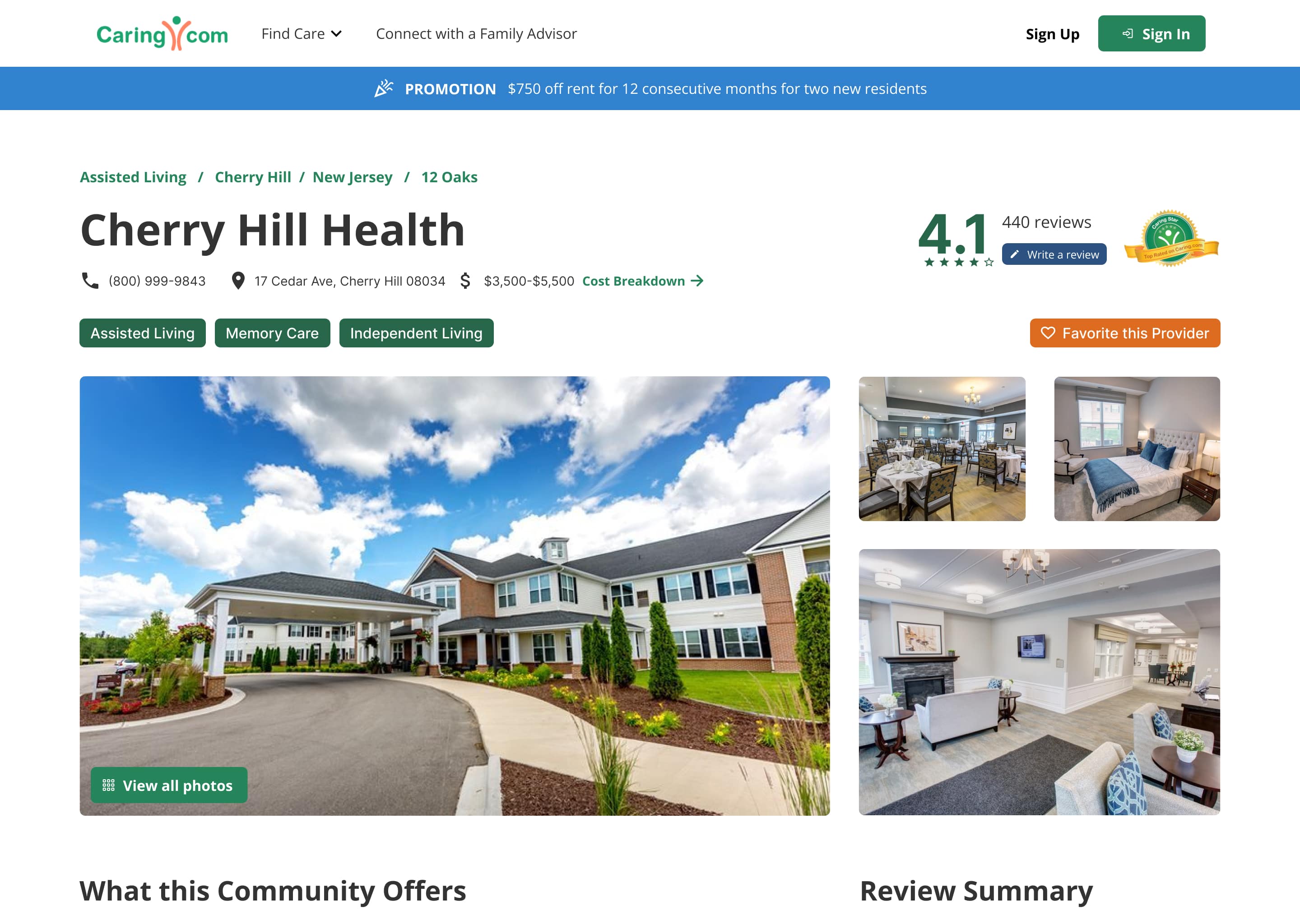
Caring helps families find senior care through expert advice, reviews, and comparison tools. But behind the scenes, the outdated partner systems created friction across the business—resulting in manual workarounds, missed submissions, and scalability issues.
As the design lead, I focused not only on interface modernization but also on uncovering the operational friction points affecting both internal teams and external partners. My approach centered on aligning user needs with business goals — identifying systemic issues that design could help resolve.
“Our current technology is crippling our growth. We’re jeopardizing the future of the business.”
Framing the Problem
& Shaping the Solution
1. Discover
Uncover friction in workflows by interviewing stakeholders and exposing where outdated tools create risk and inefficiency.
2. Define
Map user goals and operational gaps to identify where better UX will reduce manual work and unlock business value.
3. Design
Prototype rapidly and align with stakeholders early. Focus on scalable patterns that reduce training and speed up adoption.
4. Deliver
Deploy a flexible system tailored to user roles—clarifying workflows, reducing errors, and laying the groundwork for scalable growth.
Uncovering Hidden Leverage Points
Tool Exploration
I accessed the existing portal and completed the full onboarding flow as a partner would.


Interviews
Conducted over 10 in-depth interviews with internal stakeholders and customer-facing teams to understand specific pain points in their workflows.

Requirement Gathering Workshops
Facilitated requirement sessions with 45 team members to ensure all legacy features were accounted for while noting new feature requests for future iterations.

Workflow Journeys
For tasks involving multiple team members, journey maps were utilized to ensure that every aspect was considered.

Feature Requirements
For features like User Management, a different approach was employed to better understand the differences between internal and external user capabilities.


Establish Strategic Goals
Remove Impersonation
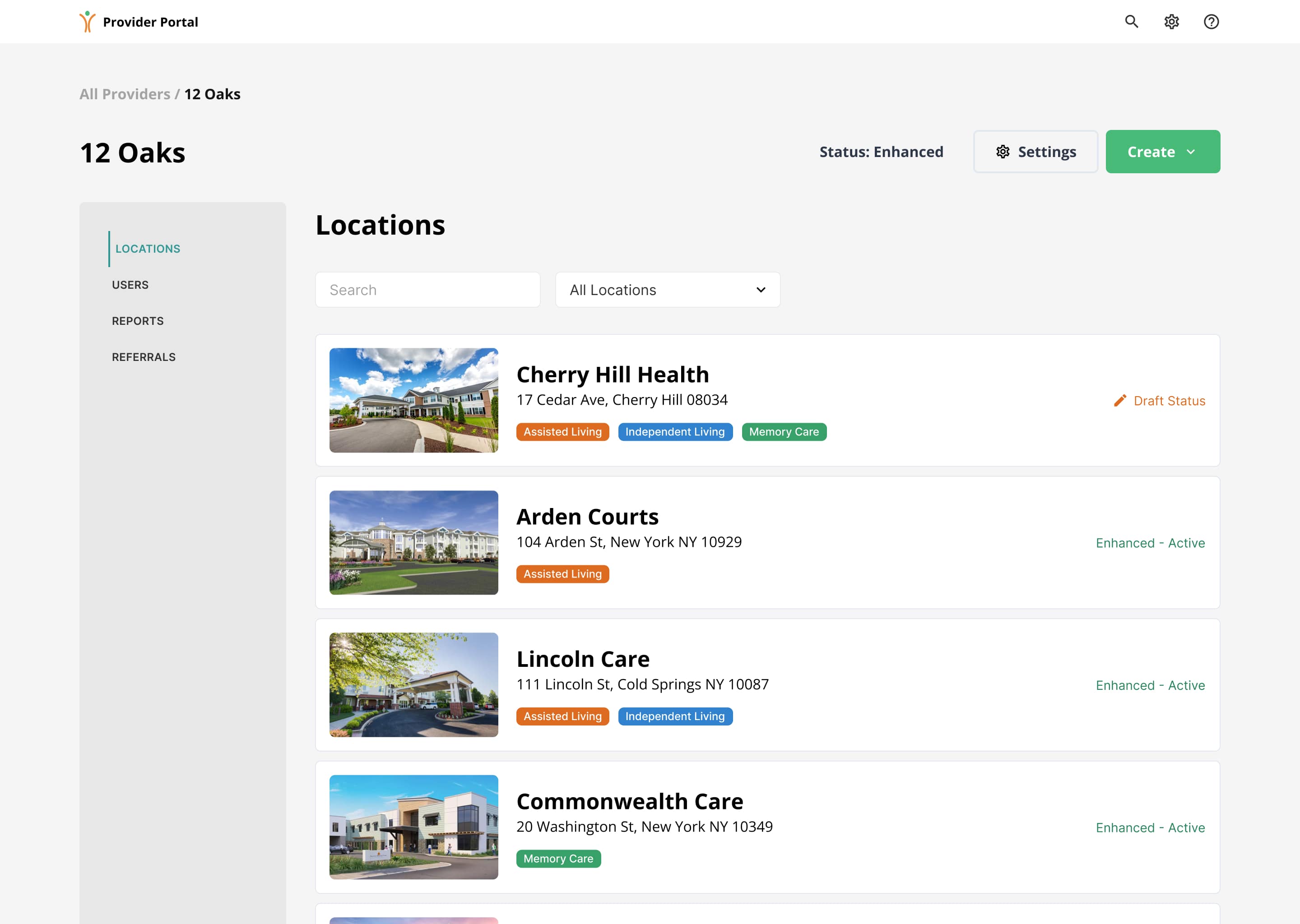
For Caring team members to make changes to partner accounts, they had to 'impersonate' a partner user, editing the partner's information from that perspective. This approach led to a lack of accountability tracking and was counterintuitive, as partners had more capabilities than Caring, the tool's owner.
Improve Onboarding
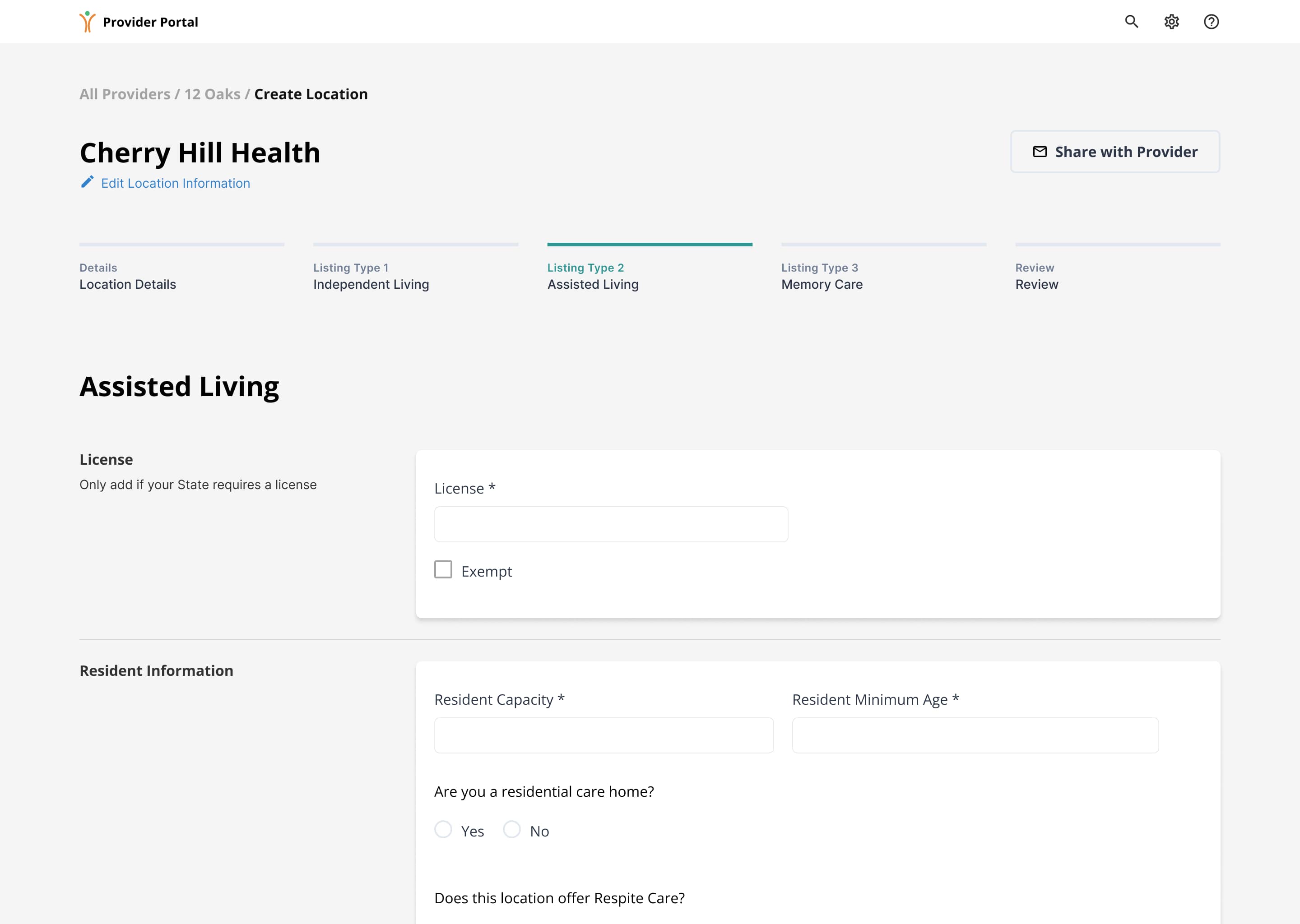
A third-party form was used to capture all information for gathering partner and location data. However, the form was insufficient, consisting of four separate pages yet not enough options to allow partners to create locations that fit their needs.
Enhance Custom Roles
Users required permissions based on their roles and seniority levels. However, the system was limited to only five permission group settings, which failed to accommodate the complexity of user needs. Each user needed to have the ability to create, read, update, and delete (CRUD) content as part of their permission settings.
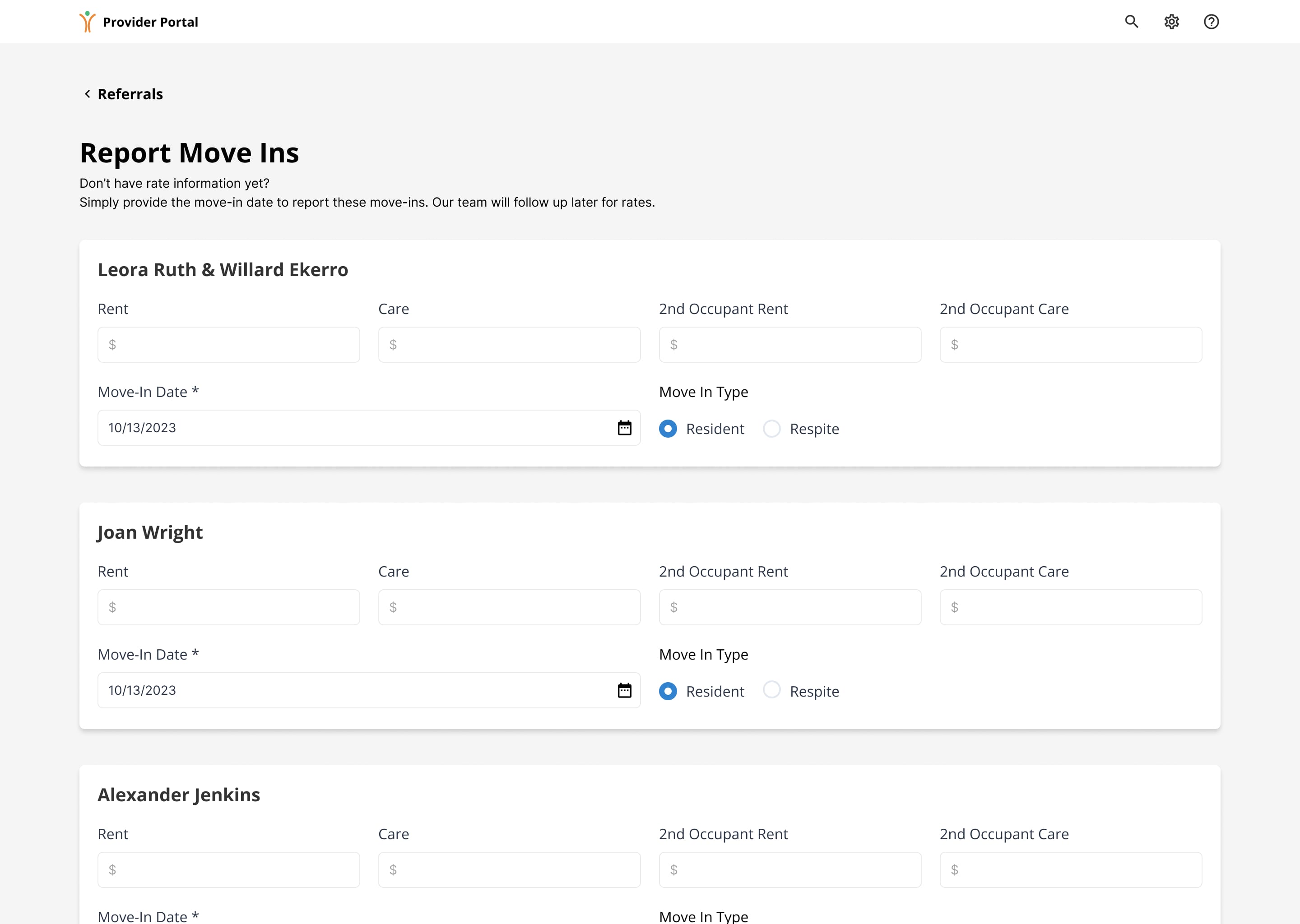
Increase Move-In Ease
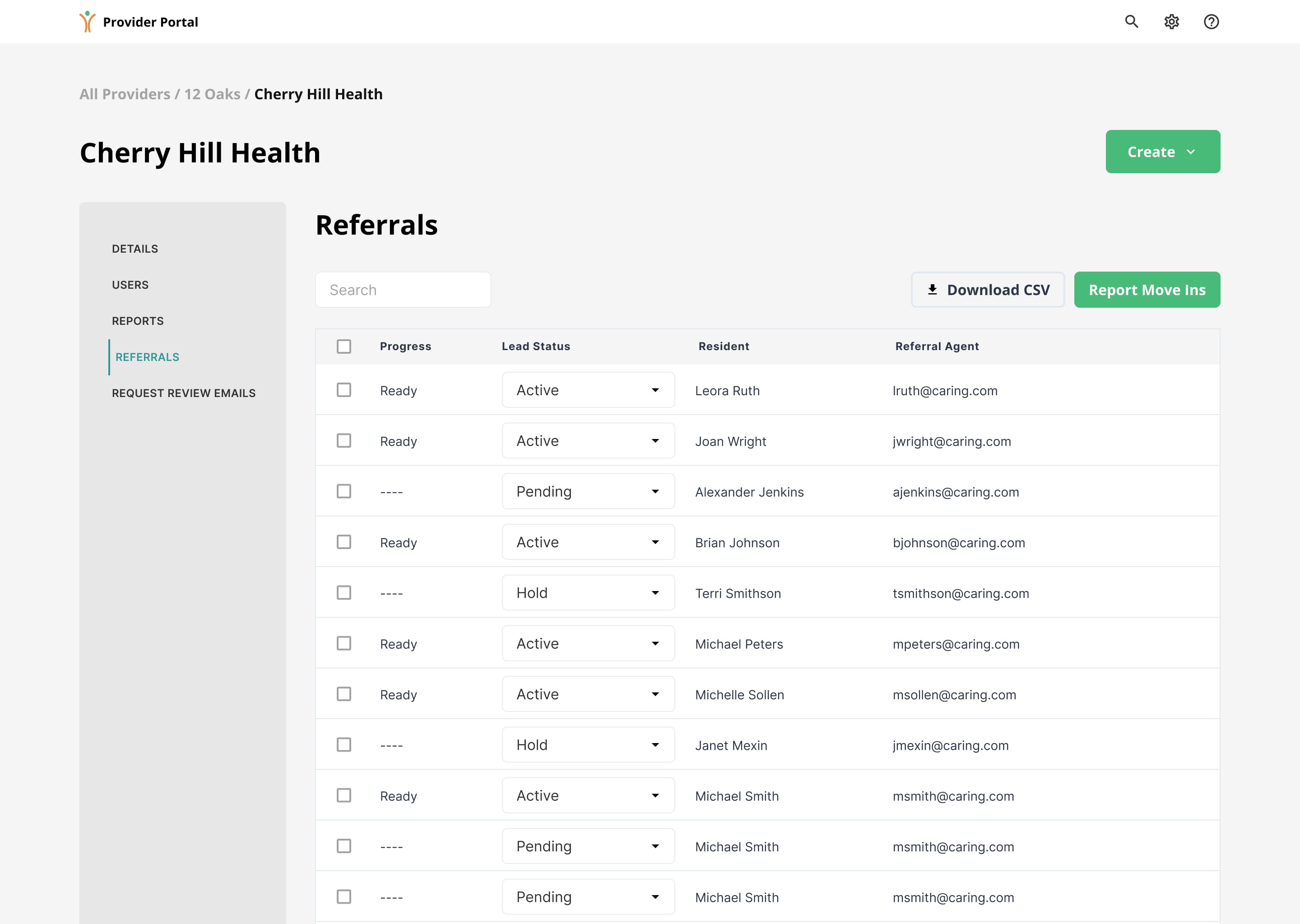
Successful referrals (or leads) needed to be reported in the Partner Portal for Caring to bill the partners effectively. However, the existing system was non-intuitive and lacked essential features.
“We can’t keep track of the communities with 800 leads that only report a few. That creates alot of work for our team to track down and report each move-in.”
Align, Iterate & Validate
Establish a Cadence
Given the fast pace of our research, design, and development processes, we needed an efficient way to gather input from the large group. We implemented Portal Team Workshops to facilitate quick feedback on new features.

Workshop Reviews
During the design phase, the bi-weekly workshops proved invaluable. What began as a broad requirements-gathering exercise for the entire portal quickly revealed the complexity of each feature.

Remove Impersonation
The current model required Caring admins to impersonate partner users, accessing the tool from their perspective. This approach not only created numerous issues but also extended development time.
To address this, I created a mock-up diagram and collaborated with our development team to ensure the functionality could be implemented effectively while alleviating any concerns from the Caring team.

Improve Onboarding
The existing process required partners to complete the form in one sitting, with no way to save progress. Additionally, it failed to account for the unique nuances of each location type, leading to limitations that often resulted in inaccurate submissions.


Enhance Custom Roles
Each partner required specific user permissions, location access, and notification settings. We gathered insights from our research sessions to establish a system that would allow for scaling over time.


Increase Move-In Ease
Each partner could access a comprehensive list of referrals from family advisors in one centralized location. With the implementation of an enhanced reporting system for successful move-ins, Caring admins experienced a significant reduction in their workload.

“The new onboarding requires less time from our team having to manually fix issues.”
Launch & Impact
Results
With a portal now designed to efficiently address the unique needs of both partners and Caring team members, Caring is poised to pursue its long-term goal of transforming the portal into a revenue-generating tool.
Move-Ins
In the months following the portal's launch, reported move-ins have risen by 10%.
Locations
Achieved an 8% increase in locations created on the portal while reducing the need for assistance from Caring admin members.

Start the Conversation
Ready to accelerate your team's success?